How to Start a Faceless YouTube Channel with AI

Summary: A faceless YouTube channel publishes videos without the creator appearing on camera. Here is how to start a faceless YouTube channel with AI: pick a sustainable niche, set up the channel, plan ten topics, script about 150 words per minute, build each video from voiceover and licensed footage, then upload with chapters and any required AI label.
What is a faceless YouTube channel?
A faceless YouTube channel is a channel whose videos never show the creator's face. The story is carried by narration, footage, animation and on-screen text instead of a host. Many of the biggest education and documentary channels work this way, and viewers rarely notice the missing presenter.
Faceless videos come in a few common formats:
| Format | Where the visuals come from | Typical niches |
|---|---|---|
| Narrated documentary | Licensed stock footage, archive photos, maps | History, business, true crime |
| Animated explainer | Diagrams, charts and motion graphics | Science, how things work |
| Top list | A mix of footage and ranked graphics | Rankings, records, money |
| Screen recording | The creator's own screen | Software tutorials, gaming |
| Ambient or music | Loops of scenery or visualizers | Study music, sleep sounds |
This guide focuses on the narrated documentary and explainer formats, because they suit long videos, and videos of eight minutes or more can carry mid-roll ads.
What does a faceless video actually look like?
Here is a real breakdown of one finished faceless video, How Your Phone Finds You When No Satellite Knows Where You Are, which we made with Epivoke from this one-line topic: "How does your phone find the blue dot when no satellite knows where you are? Follow one GPS signal from space to the screen, in six steps."
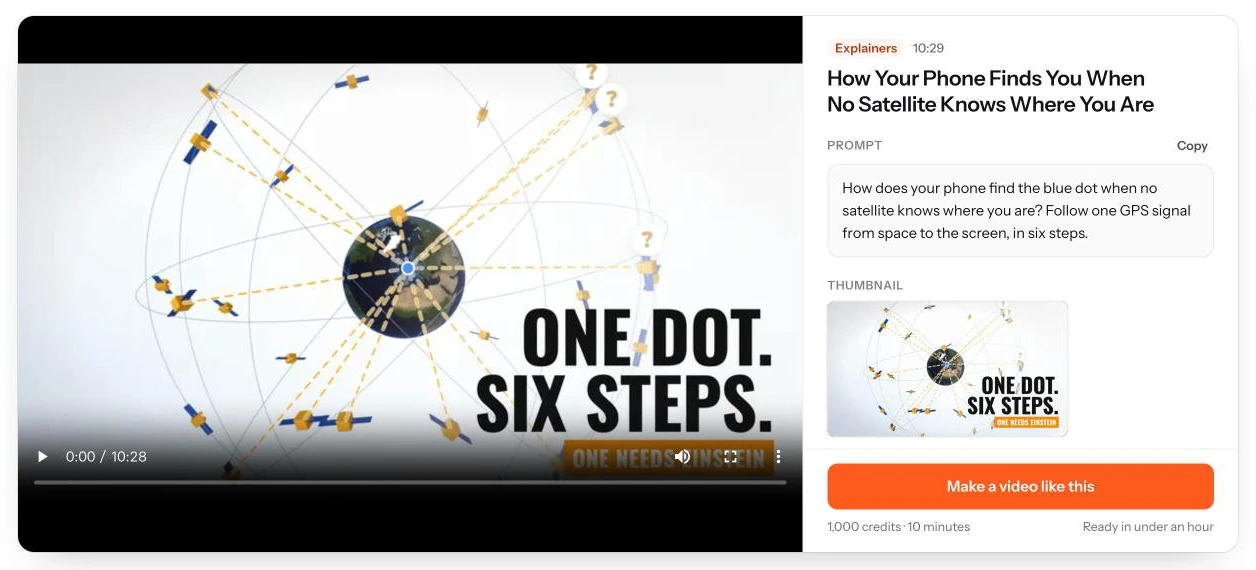
| What we measured | Result |
|---|---|
| Length | 10 minutes 29 seconds |
| Script | 1,543 words in 10 chapters |
| Shots | 93 |
| Clips on the license sheet | 71 (61 from a stock library, 6 public domain archive files, 4 from a free media library) |
| Music | 3 licensed tracks |
That is the scale of a ten-minute faceless documentary: around 1,500 words of narration and about 90 shots, which works out to a new image roughly every seven seconds. Planning for that scale from day one is the difference between a channel that publishes weekly and one that stalls.
What do you need before you start?
You need a Google account, a niche, and a repeatable way to turn a topic into a finished video of eight minutes or more. You do not need a camera, a studio or a microphone if you use AI voiceover, and you can start on any laptop or phone browser.
The repeatable workflow is the part most new channels underestimate. Each video needs research, a script, narration, dozens of clips you are allowed to use, editing, captions, a thumbnail and a description. Decide early whether you will do each step by hand, with separate tools, or with one tool that does the whole chain.
How to start a faceless YouTube channel in 7 steps
These seven steps take you from an empty account to your first published video. Steps 4 and 5 are where most of the work sits, so plan your week around them.
Step 1: Pick a niche you can sustain
Choose a niche where you can list ten video ideas today and still have footage for idea number fifty. Documentary niches such as history, science explainers, business stories, top lists and historical true crime work well because they have deep footage libraries and support longer videos.
Check three things before you commit: whether advertisers pay well for the audience, whether the topic is searched year round, and whether you actually enjoy it. You will make a lot of videos on this subject. Our list of 50 faceless YouTube channel ideas has angles for each niche.
Step 2: Set up the channel
Create a YouTube channel from your Google account, then give it a name that tells viewers what they will learn. Add a simple logo, a banner that states your topic and upload rhythm, and a two-sentence description with your main subject words in it.
Set the channel language and country in YouTube Studio, and turn on two-step verification for your Google account. Then upload a short channel trailer or pin your best video once you have one.
Step 3: Plan your first 10 video topics
Write ten titles before you make a single video. A list keeps you publishing on schedule and shows quickly whether the niche has depth. Mix three kinds of topics: evergreen questions people search for, stories with a strong mystery or twist, and one or two timely subjects.
For each title, write one sentence describing the promise of the video. If you cannot say what the viewer will learn in one sentence, the topic is too vague. Turn "the Roman Empire" into "why the Roman Empire split in two, in five decisions."
Step 4: How long should your script be?
Plan about 150 words of script per minute of video. A 10-minute video needs roughly 1,500 words, and a 20-minute video about 3,000. Our seven example videos averaged close to 148 words per minute, so the rule holds for documentary narration.
To check a draft, paste it into our free script length calculator to see how many minutes it will run; our guide to long-form video length shows the word counts of real 10-minute videos. Structure the script with a cold open that poses the question in the first 30 seconds, then chapters that each answer one part of it, and an ending that pays off the opening.
Step 5: Build the video with voiceover, licensed footage and captions
Building the video means turning the script into narration, matching every line with a shot you are allowed to use, adding graphics where words need help, and finishing with captions and music. This is the most time-consuming step, and the one where most copyright problems start.
The manual route. Record or generate the narration. Search stock libraries and public archives for each shot, check every license, then cut it all together in an editor. Expect a ten-minute documentary to need 70 or more clips, as in our example above.
The one-tool route. With Epivoke, you type a topic or paste your own script and choose a length from 8 to 60 minutes. It researches the topic, writes the script with a source for every factual claim, adds AI voiceover, licensed footage, animated maps and charts, captions and music, and delivers one 1080p MP4. Most videos are ready in under an hour.
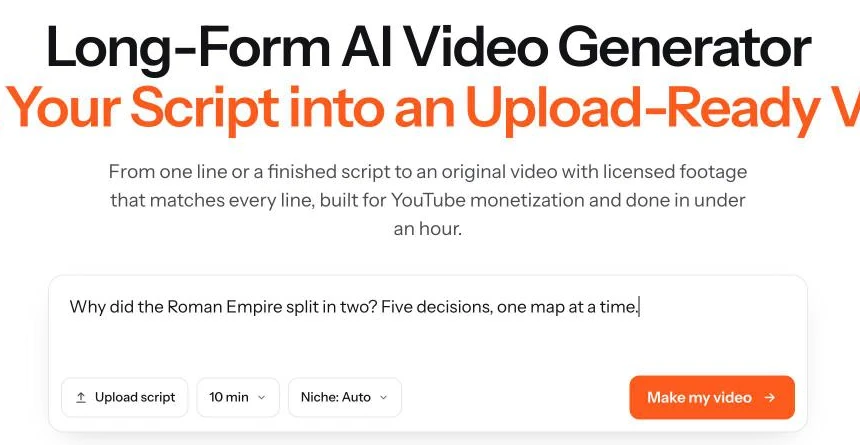
Whichever route you take, keep a record of where every clip came from. Epivoke includes a license sheet with each video for exactly this reason. Read our guide to fair use and licensed footage before you use any clip you did not make.
Step 6: Make a thumbnail and title that match the video
Write the title around the question the video answers, in under 60 characters, with your main subject words near the front. Make the thumbnail show one clear subject and no more than four words of text.
The title and thumbnail must describe what is actually in the video. Clickbait that the video does not pay off raises early drop-off, and YouTube recommends videos that viewers keep watching.
Step 7: Upload and fill in the details
Upload the MP4, paste a description that summarizes the video in its first two lines, and add chapters with timestamps starting at 0:00. Add the captions file, pick a category, and credit any footage that requires attribution in the description.
Schedule the video for a consistent day and time. Then add it to a playlist so viewers who finish one video are offered the next.
Do you need to label AI content on YouTube?
Yes, when the video shows something realistic that AI made or changed. YouTube's altered or synthetic content rules ask you to disclose content that viewers could mistake for real, such as a real person saying something they never said, altered footage of a real event or place, or a realistic scene that never happened.
You do not need to disclose AI help with scripts, outlines or captions, and YouTube's examples also exempt cloning your own voice for voiceovers. A documentary built from real stock and archive footage is a different case from synthetic footage of real events. You set the label in YouTube Studio during upload, and YouTube says disclosing does not by itself limit a video's reach or its eligibility to earn money. When you are unsure, turn it on.
When can a faceless channel start making money?
A faceless channel can apply for ad revenue once it has 1,000 subscribers plus either 4,000 public watch hours on long videos in the last 12 months or 10 million Shorts views in the last 90 days. Those are the current YouTube Partner Program thresholds.
YouTube has announced that from February 1, 2027, new applicants will need 1,000 subscribers plus 8,000 watch hours in the last 365 days or 20 million Shorts views in 90 days (announcement). Faceless and AI-assisted channels are reviewed on the same terms, and the review looks at originality, not at whether a face appears.
Check where your channel stands with our YouTube monetization checker, and estimate what your niche could earn with the YouTube money calculator and our RPM data by niche. Then read whether YouTube is demonetizing AI videos to understand what gets channels rejected.
Common mistakes when starting a faceless channel
- Reusing other people's videos. Compilations and lightly edited clips are the fastest way to be rejected from monetization.
- Using footage without a license record. "Found it online" is not a license. Keep a source for every clip.
- Publishing only Shorts. Shorts can bring subscribers, but long videos earn far more per view.
- Titles the video does not deliver. Viewers leave early, and recommendations dry up.
- Posting in bursts. Ten videos in a week followed by a month of silence trains viewers to forget you.
Make your first faceless video in under an hour
Epivoke turns a topic or your own script into a finished long-form documentary, from 8 to 60 minutes, with a script, voiceover, licensed footage, animation, captions and music. Every video comes with a license sheet and a source list. Start your first video on the long-form AI video generator, or compare long-form AI video tools first.
FAQ
Do faceless YouTube channels actually make money?
Yes. Faceless channels earn through the YouTube Partner Program exactly like channels with a host, mostly from ads. Earnings depend on the niche, the audience's country and video length. Videos of eight minutes or more can carry mid-roll ads, which raises what each view can earn.
Can I start a faceless YouTube channel for free?
Yes. Creating a channel costs nothing, and you can write scripts, record your own voice and use public domain footage at no cost. What you pay for, if anything, is time saved: AI voiceover, stock libraries or a video generator.
How much does it cost to run a faceless channel?
It ranges from nothing, if you do every step by hand, to a monthly subscription for tools. On Epivoke, video is charged in credits at 100 credits per finished minute, so a 10-minute video uses 1,000 credits. Current plan prices are on the pricing page.
Is it legal to use AI voiceover on YouTube?
Yes. YouTube's policies do not prohibit AI voiceover. What matters is that you have the right to use the voice and the script, and that you do not imitate a real person's voice without consent.
How many subscribers do you need to get paid on YouTube?
For ad revenue you need 1,000 subscribers plus 4,000 long-form watch hours in 12 months, or 10 million Shorts views in 90 days. From February 1, 2027, new applicants need 8,000 watch hours or 20 million Shorts views. A lower tier at 500 subscribers, with 3 recent uploads and 3,000 watch hours or 3 million Shorts views, unlocks fan funding.
Can I stay anonymous on a faceless channel?
Yes. Use a channel name that is not your personal name and an AI or recorded voice. YouTube still needs your real details for payments and tax, but viewers will not see them.
How long until a faceless channel gets views?
Most new channels need dozens of videos before views grow steadily. Search-driven topics can pick up views within weeks, while recommendation traffic usually follows once viewers consistently watch your videos to the end.
Are faceless YouTube channels still worth it?
Yes, for creators who publish original work consistently. YouTube has clarified its rules on mass-produced content, which makes well-researched, clearly original faceless documentaries more valuable, not less.